

Skip to content
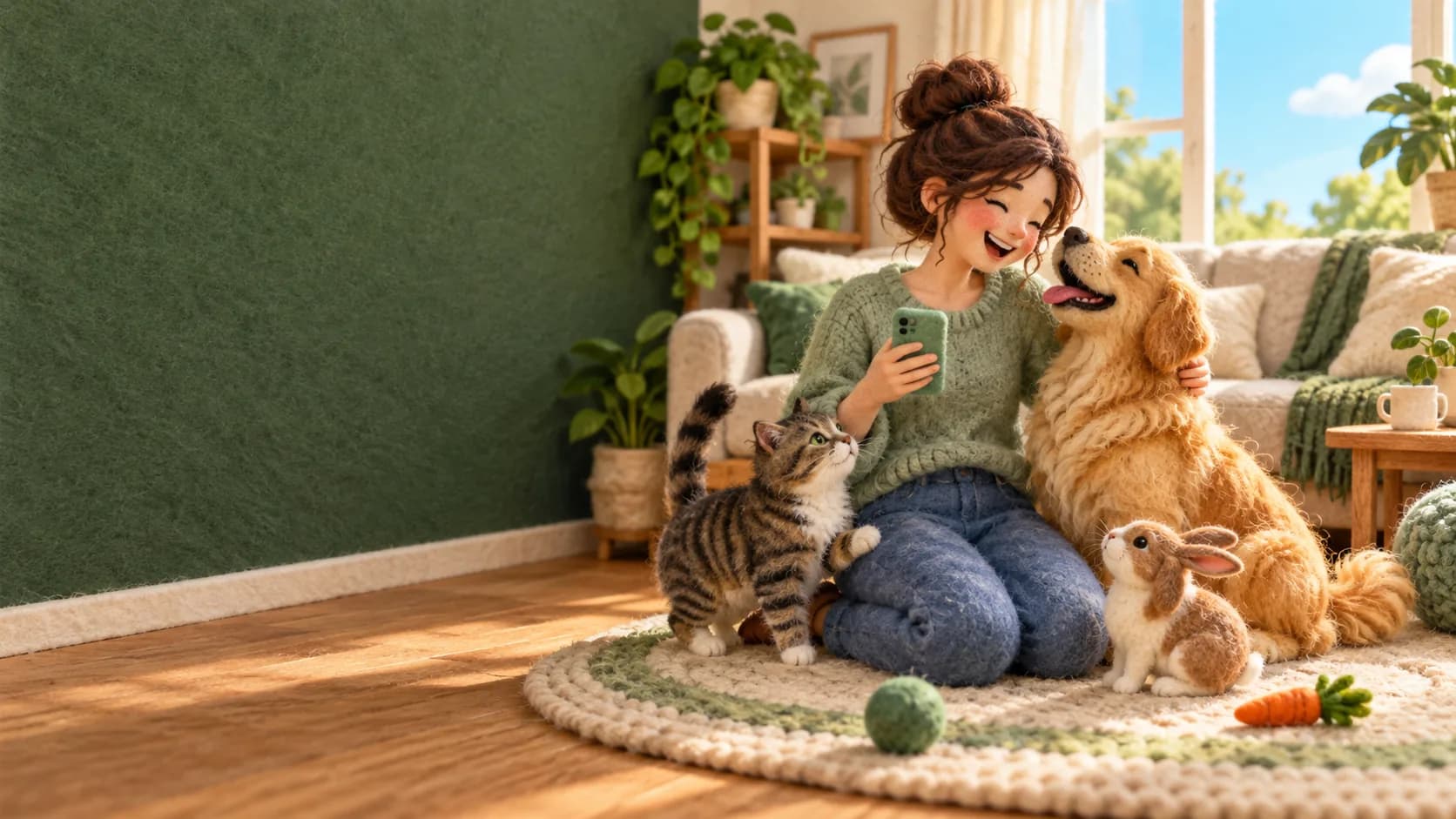
A needle-felted owner kneeling on her living room rug with her golden dog, her cat and a rabbit

For pet owners

Here for your pets,with a free wellness app

PetGrid is here to help you care for your pets. Keep every record and the vaccine card in one place, get a reminder before care is due, share with sitters and any vet, and find a vet near you. Free for pet owners, always: clinics pay for PetGrid.

Example

Biscuit

Dog

  • Vaccine card

    Ready, with a QR code

  • Reminder

    Booster due next month

  • Kennel link

    Ends Sunday, opened once

What it does

Useful from day one, with any vet

  • Every record in one place

    One page per pet with vaccines, medicines, allergies and papers. Add them yourself, from any vet. Coming soon: adding visits yourself.

  • A vaccine card with a QR code

    Download a vaccine card as a PDF, with a QR code a kennel, groomer or vet can scan.

  • Share with sitters and kennels

    Send a sitter, kennel or groomer a link that ends when you say. Turn it off at any time.

  • A code for any vet

    In an emergency, give any vet a code that works for one day, and see who opened it.

  • Lost pet poster and travel helper

    If your pet goes missing, make a poster with their photo. Planning a trip? A helper lists the papers to ask for.

  • Reminders that arrive

    Reminders for vaccines, preventatives and anything else, by email or on your phone.

  • Vets near you, on a map

    Find vet clinics near you, wherever you are. PetGrid clinics can be booked. For any other, tap Invite my vet to PetGrid.

  • Ask Pip

    Pip, your pet's Wellness Buddy, finds things in your app and answers from official government pet care guides. Pip is not a vet.

Upgrade

When your clinic is on PetGrid

Join your clinic in the app and these turn on, if your clinic offers them.

  • Book, move or cancel visits
  • Message your clinic, with photos
  • Records that arrive on their own
  • Pay bills online

See all the features

Getting started

Three small steps

  1. Sign up free

    Create your account with your email. No card, and no invite needed. If your clinic sent you an invite by email or text, open it instead.

  2. Add your pets

    Add each pet with a photo, and the vaccines and records you already have. Only have paper? AI can read a photo of it and suggest what to add.

  3. Find your vet

    Find your vet on the map. If it is on PetGrid, join it to book and message. If not, everything else still works, and you can invite your vet.

How it works

Privacy and sharing

You decide who sees what

Nothing about your pet is shared until you share it. Each way of sharing shows only what it needs, ends on its own, and you can turn it off at any time.

Example

  • Care card for the sitterOpened twice
  • Vet codeOpened by the emergency clinic
  • Vaccine card QRWorks until spring

Who opened what

The privacy centre in your account shows every time something you shared was opened: the vet and clinic for a vet code, and how many times each link or page was opened.

Changed your mind?

Turn off any link, code or QR code with one tap, and it stops working.

  • A share link for a sitter, kennel or groomer

    What it showsThe vaccines, medicines and allergies you tick, plus a care note and a phone number if you add them. Never your address.

    No login needed. You choose how many days it works, and you see each time it was opened.

  • A one-day code for any vet

    What it showsVaccines, allergies, current medicines, weights, recent visits and the visit summaries your vet approved.

    Six digits and a QR code for any vet, like an emergency hospital. It works for one day, and you see which vet and clinic opened it.

  • The vaccine card's QR code

    What it showsYour pet's vaccines, for a kennel, a groomer or a vet to check.

    It works until the date shown in the app, or until you turn it off.

  • The lost pet page

    What it showsYour pet's photo and description, where they were last seen, and the phone or email you choose. Never your address or medical records.

    It ends on its own after a set number of days, or when you tap that your pet is home.

How sharing worksHow your pet's information is looked after

Records, vaccines and reminders

Care that arrives on time

The PetGrid app keeps every vaccine, medicine and allergy on one page per pet, and reminds you before care is due, so a booster or a monthly dose is never missed.

  • Every record in one place

    Vaccines, medicines, allergies and documents for each pet, from any vet, marked Added by you so everyone knows where they came from.

    Pet records
  • A vaccine card with a QR code

    Download it as a PDF for the kennel, the groomer or a new vet. They scan the code to check the vaccines.

    The vaccine card
  • Reminders that arrive

    For vaccines, monthly preventatives and anything else, by email, as a phone notification, or both.

    Reminders

Example

Biscuit

  • RabiesUp to date
  • BoosterDue next month
  • Flea and tickMonthly, reminder on

Reminder: Biscuit's booster is due next month.

Example

Show the daycare Biscuit's vaccines

Here is Biscuit's vaccine card. I can make a QR code for the daycare that ends when you say.

Example

From an old paper record

  • Vaccine: Rabies
  • Medicine: Ear drops
  • Allergy: Chicken

Pip and AI

Pip and the AI that does the paperwork with you

Pip is your pet's AI Wellness Buddy in the PetGrid app: ask in your own words, and Pip finds it in your app or answers from official government pet care guides. AI can also read an old record for you. You confirm everything, and Pip is not a vet.

  • Ask Pip

    When a vaccine is due, proof for a daycare, a reminder, sharing records with a new vet, lost mode or finding a vet. Pip never gives a diagnosis: for your pet's health, call your vet.

    Meet Pip
  • Old records, read with AI

    Upload a PDF or a photo of a paper record. AI suggests the vaccines, medicines and allergies in it, and nothing is saved until you confirm each one against the paper.

    How AI reads a record
  • AI is your choice

    Turn AI off for any of your pets in your account, at any time, and the AI features stop reading that pet's records.

    Your data, your call

Lost pets and travel

Ready for the day plans change

If your pet goes missing, lost mode helps you spread the word fast. If you are travelling together, a helper lists the papers to ask your vet for.

Lost mode

Turn it on to make a poster you can print and a page you can share, with your pet's photo and where they were last seen.

  • If your clinic is on PetGrid, it is told right away
  • Only the contact details you choose, never your address
  • See how many times the page was opened
  • Tap that your pet is home, and the page says so
How lost mode works

Example

Lost dog

Biscuit

Last seen near the park. Call the number below.

Travel helper

Planning a trip? The helper shows what papers your pet may need and what to ask your vet for. The rules are set by the countries involved, so confirm them with official sources.

  • The papers your pet may need
  • What to ask your vet for, and when
  • Your vaccine card ready to show
The travel helper

Find a vet

Vets near you, and booking at PetGrid clinics

The map in the app shows vet clinics near you, not only the ones on PetGrid. Join a PetGrid clinic to book visits, message it with photos and pay online.

The map covers the United States, Canada (except Quebec), Mexico and Bogota in Colombia.

  • Find a vet

    Look by city and see the clinics near you on one map. For one that is not on PetGrid, tap Invite my vet to PetGrid. You choose: PetGrid can email the clinic once for you, in your name, or just count your request.

    Find a vet
  • Book and message at a PetGrid clinic

    See open times, book, move or cancel a visit, message the team with photos, and get records and hospital updates in the app.

    Booking and messages

Open the map

Example

  • PetGrid clinic: book online
  • Any other clinic: Invite my vet

Coming soon

Two new things for pets and the people who love them

Coming to the free PetGrid app, with or without a clinic.

  • Coming soon

    Adopt a pet

    Soon you'll meet pets looking for a home, from clinics on PetGrid and local shelters and rescues near you, and see Happy tails from pets who found theirs.

  • Coming soon

    Pet Social

    Pet Social: meet friendly pets and their people near you. See the closest parks and dog parks, and plan a walk or a park day together. You choose who sees your pet's profile, and only your neighbourhood is shown, never your address.

    Tell me when it's ready

    Opens the PetGrid app: sign in or sign up, then tap it there. We'll only use this to tell you when Pet Social opens near you.

Get the free PetGrid app

Sign up in a few minutes. It works in the browser on any phone or computer, and you can add it to your home screen. The App Store and Google Play app is on its way. Already have an account? Sign in.